

What a merge does to each flow
- Touched and changed. A flow whose cited code the merge changed is updated at the merge commit: its changed steps, endings and calls are worked out again, and the rest are kept. It gets a history entry with the pull request.
- Touched, same behaviour. A flow whose code changed but which still does the same thing gets a new version at the merge commit with a “No behaviour change” entry.
- Untouched. A flow whose code the merge didn’t reach is carried to the merge commit: every cited range moves through the diff, so its line numbers stay right. This uses no credits and adds no history entry.
- Removed. When the merge removes an endpoint, its flow keeps its last version and is marked endpoint removed in the Flows list, with an “Endpoint removed” history entry.
Previews carried into the merge
If the pull request had a preview, the merge builds on it instead of starting again:- Same code. When the merged code is the same as the code the preview read, the merge takes the preview’s flows as they are, with no further credits.
- Main moved on. When other changes landed first, the merge starts from the preview’s flows and updates them only for what differs between the preview and the merge commit.
- A preview still running. Flows the preview had finished are taken; a flow it’s still working on is finished and then taken; flows it hadn’t started are done by the merge. What the preview worked out isn’t worked out again.
The Changes page
Changes in the sidebar lists the pull requests and direct pushes that change how your flows behave, across the repos you can read. Open ones show their preview; merged ones show what landed.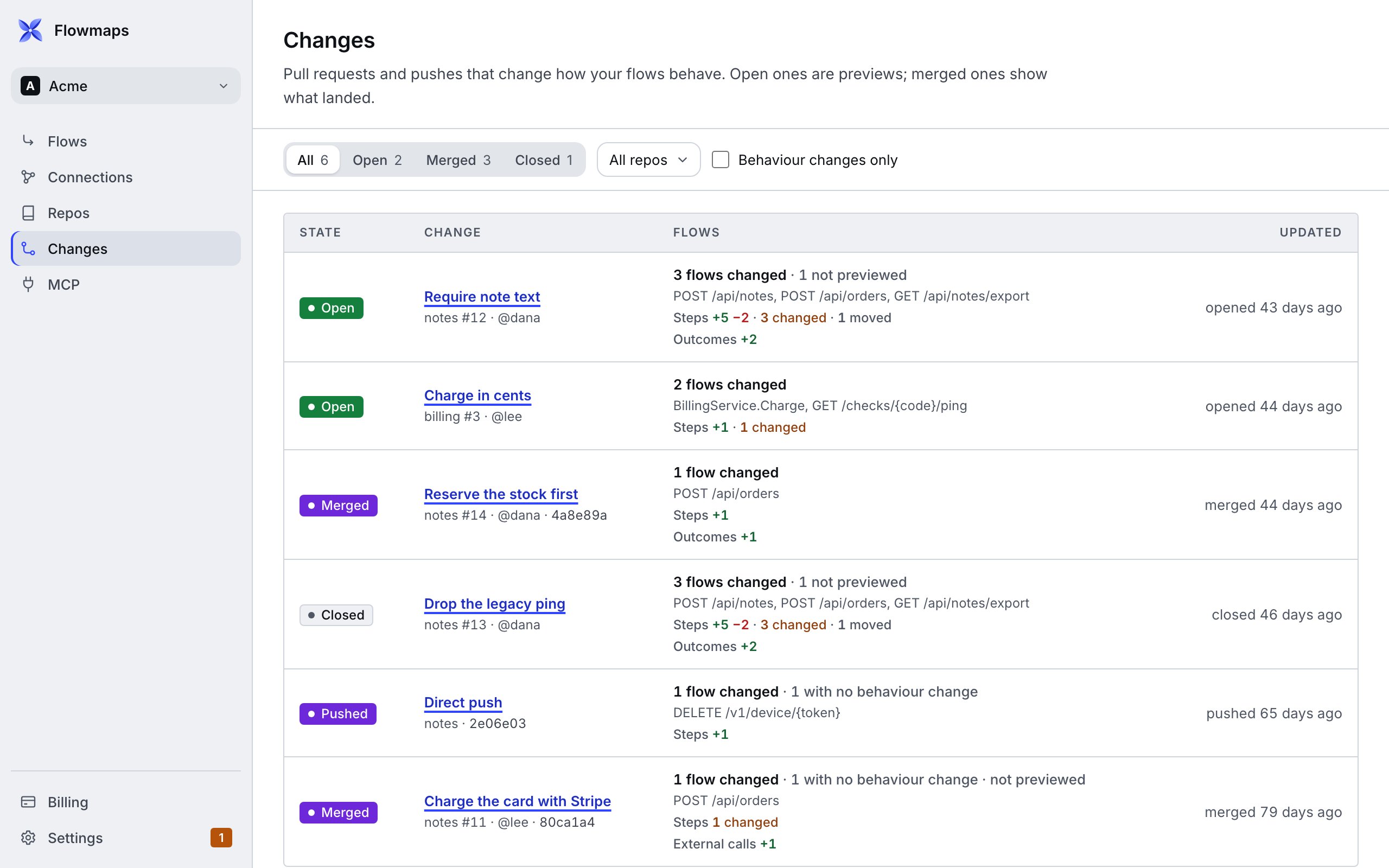
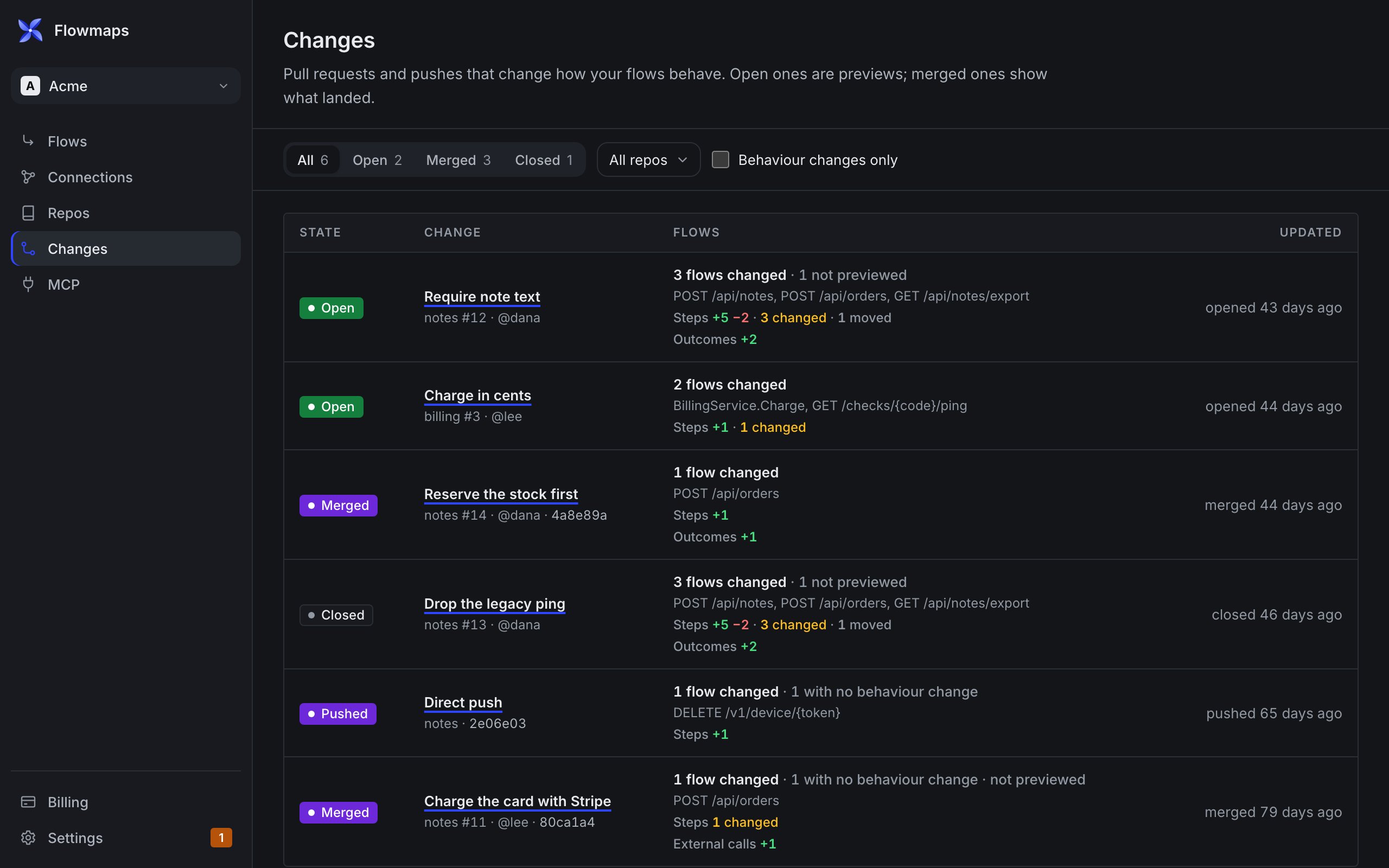
Changes: pull requests and direct pushes, with the flows each one previewed or changed.
- Status: All, Open, Merged or Closed, with counts.
- Repo: one repo, or all.
- Behaviour changes only: hide pull requests that changed no flow’s behaviour.
When a merge can’t update a flow
- Out of credits. A flow the merge couldn’t update shows Out of date, and says “This flow didn’t update for the last merge: out of credits”. The merge waits, and the flow updates by itself once credits reset or you add credits.
- A cancelled merge. Cancelling a merge’s run from the repo’s progress page skips that merge. The flows it hadn’t updated get its changes with the next merge that touches them, or a re-map. What it used so far is still charged.
- Plan limits. A repo past your plan’s repo count keeps its flows, but its merges wait until you upgrade. On the Free plan, merges pause after 30 days with no visit to the account. See Keeping flows current.
Next steps
Flow history
Every version of a flow, by pull request.
PR previews
See a pull request’s changes before it merges.