

The Flows page
Choose Flows in the sidebar for every repo in the workspace, or choose a repo’s name on Repos for that repo alone. A repo’s page has Flows and Settings tabs, and puts the repo’s connections above its flow list.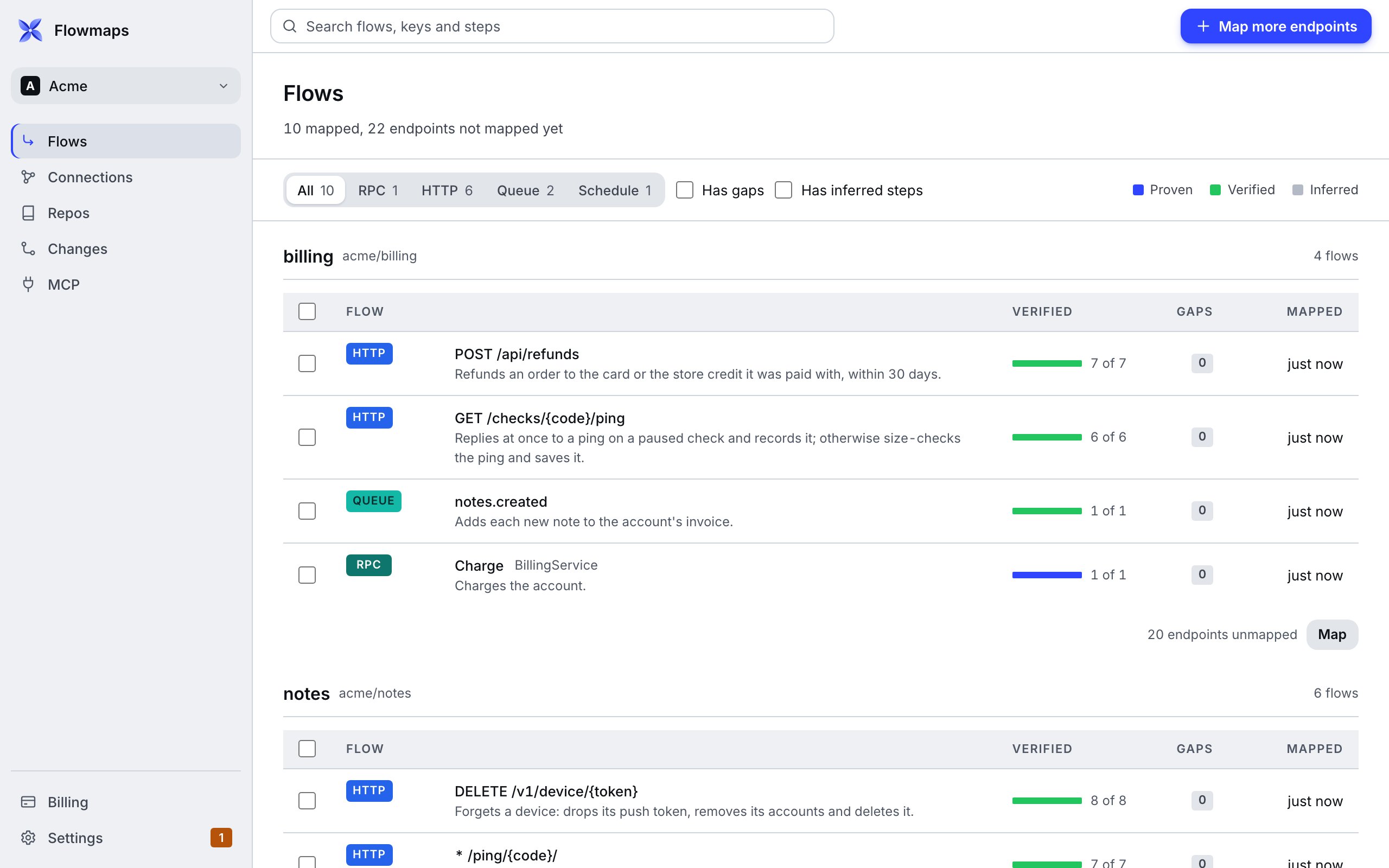
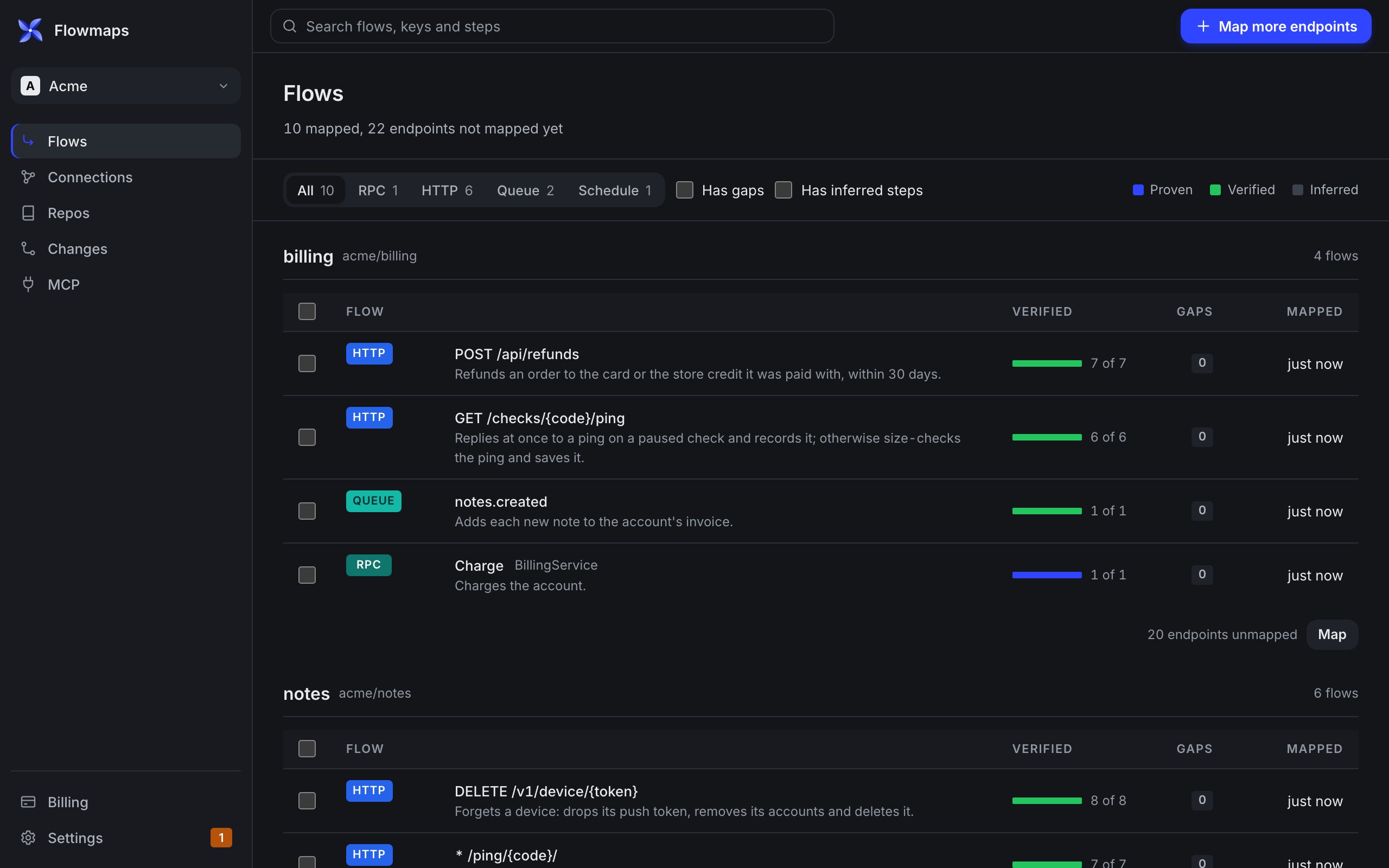
Flows: one table per repo, with each flow's calls, verification, gaps and when it was mapped.
Search
Type at least two characters in Search flows, keys and steps. Search matches flow names, endpoint keys, step text and outcomes, so “refund”, “stripe” or “401” all find something useful. It doesn’t search file paths: to find the flows that cite a file, ask your agent withflows_touching.
Filters
- Trigger kind: All, or one kind such as HTTP, RPC, Queue or Schedule, each with its count.
- Has gaps: flows with at least one place Flowmaps couldn’t follow.
- Has inferred steps: flows with at least one step a check couldn’t confirm.
The columns
Each repo’s table pages its flows; choose 10, 20, 50 or 100 a page. Under the table, “N endpoints unmapped” with a Map button opens the rest of the repo’s endpoints, or “Every endpoint is mapped”.
On a narrow window, rows turn into two-line cards with the same information.
Act on several flows
Tick flows (or a table’s header box for its whole page) and a selection bar appears:- Re-map maps the selected flows again at the branch head, one run per repo. It uses credits.
- Delete removes the selected flows after confirming how many. You need write access on GitHub to each repo they’re in. Their endpoints stay, to map again later. This can’t be undone.
- Clear selection unticks them.
The Endpoints list
Every repo’s entry points, mapped or not, are on its endpoint list: choose the Endpoints count on the repo’s row on Repos, or Map more endpoints on Flows. It’s the same page you use to choose endpoints to map.- Groups collect endpoints by RPC service, route prefix, GraphQL type, broker, scheduled jobs or CLI program, with “N of M selected” for each.
- Rows show the kind tag, the name and the endpoint key. Mapped rows carry their state: Ready with Open flow, or Paused, Failed or Cancelled with the reason and a Retry button. An Unconfirmed badge marks an endpoint Flowmaps found by reading the code but couldn’t confirm.
- Filter by trigger kind or search names and keys, as on Flows.
- Discover again reads the repo for endpoints at the current branch head. The … menu beside it can delete this discovery.
Other ways in
- From a flow: links on a step open the flow it calls, and Triggered by in the flow’s … menu opens the flows that start it.
- From Connections: choose a node to open its flow. See Connections and dependencies.
- From a pull request: a preview lists the flows the pull request changes. See PR previews.
- From your agent:
find_flowssearches flow names, step text, outcomes and business facts, andlist_flowslists a repo’s flows. See MCP tools.
Next steps
The flow page
What you see once you open a flow.
Connections and dependencies
How flows link to each other and to vendors.