

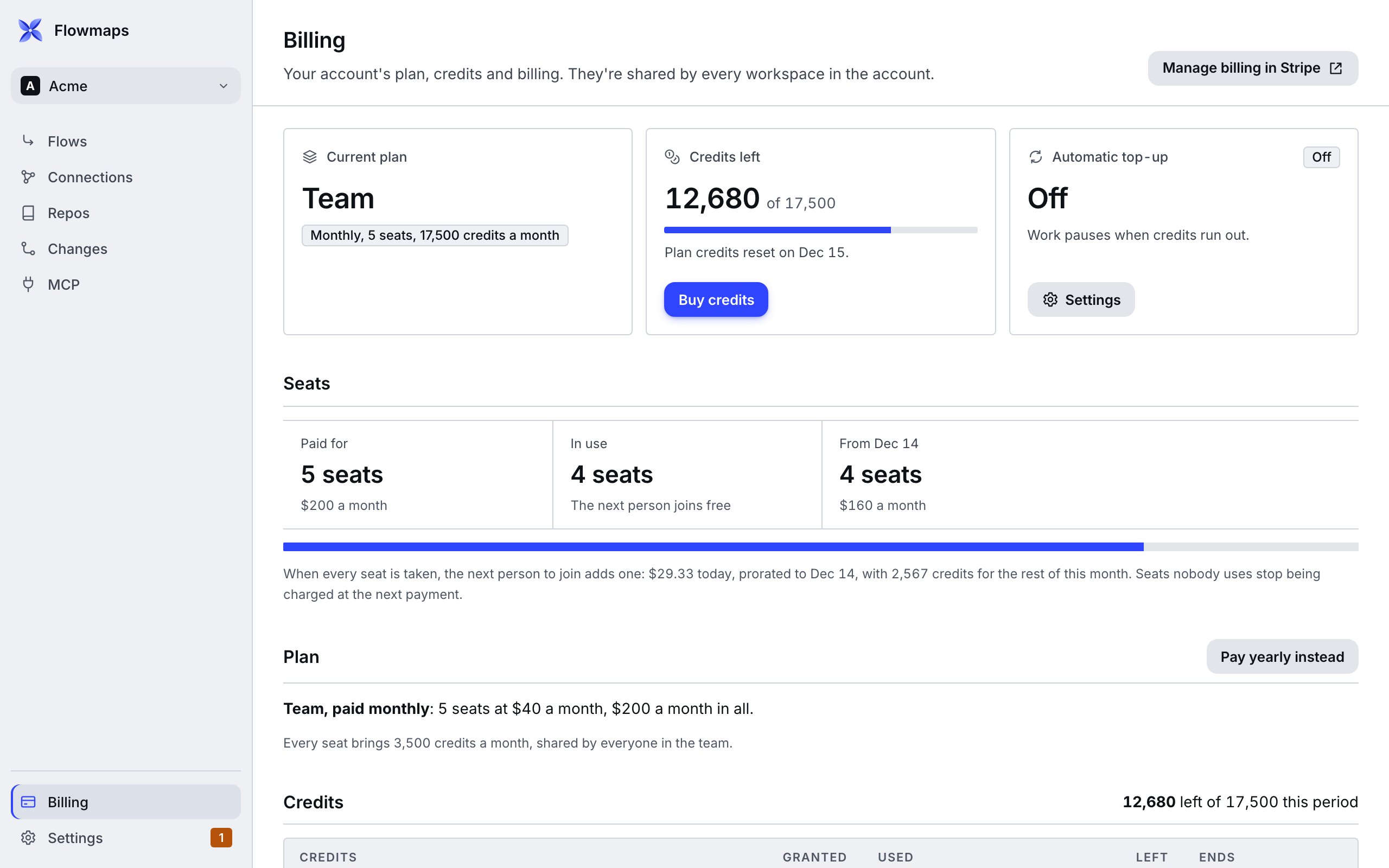
Billing shows the account's plan, credits and seats.
Pay for a plan
Open Billing in the sidebar, choose a plan and a billing period, and continue to payment. You pay on Stripe’s checkout page and come back to Flowmaps when it’s done. See Plans for how upgrades and downgrades take effect. To start a team, use New team in the workspace menu: name the team, choose seats and a billing period, and pay. The team appears once the payment goes through. See Teams and members.Manage billing in Stripe
Billing › Manage billing in Stripe opens Stripe’s customer portal, where you can:- Change or update the card on file.
- Read and download invoices and receipts.
- Update the billing address and tax details that appear on invoices.
Tax
Prices exclude tax. Stripe works out and collects sales tax or VAT where it applies, based on your billing address. Stripe’s checkout page shows the tax before you pay; an upgrade on a paid plan shows the charge “plus tax where it applies”.Monthly or yearly
Every paid plan can be billed monthly or yearly. Yearly costs ten months instead of twelve. A yearly plan is billed once a year and still gets its credits month by month.- Monthly to yearly takes effect straight away and starts a new billing period that day. Stripe charges the yearly price less the unused part of the current month. Use Switch to yearly or Pay yearly instead on Billing.
- Yearly to monthly takes effect at the end of the year you’ve paid for. A team stays yearly once it pays yearly.
When a payment fails
If a renewal payment fails, Stripe tries the card again over the following days, and Flowmaps shows a banner asking you to update the card. While the payment is failing:- The account keeps its plan’s limits and features.
- Plan changes, credit packs and new seats wait until the card is fixed.
- This period’s plan credits arrive once the payment goes through. Extra credits you bought still work meanwhile.
- Automatic top-up waits until the renewal is paid.
Cancel
To cancel a paid plan, choose Downgrade on the Free card on Billing. A team cancels through Manage billing in Stripe. The plan stays active until the end of the time you’ve already paid for, and you can undo the change until then. After that the account moves to Free. There are no refunds for unused time on a plan, monthly or yearly. Extra credits you bought stay in the account until they expire. To close your account and delete your information entirely, see Contact and support.Refunds and disputes
If you think you’ve been charged in error, write to support before disputing the charge with your bank; most problems are quicker to fix that way. When a credit pack is refunded in full, its unused credits are removed from the account.Next steps
Plans
Compare plans and change yours.
Credits and usage
Buy credits and set up automatic top-up.